Introduction to WordPress
WordPress is a content management system (CMS) that has revolutionized the way individuals and businesses create and manage websites. Initially launched in 2003 as a simple blogging platform, it has evolved significantly over the years, emerging as the leading choice for website development globally. Today, WordPress powers over 40% of all websites on the internet, reflecting its widespread adoption and user-friendly features.
The growth of WordPress can be attributed to its open-source nature, allowing developers worldwide to contribute to its capabilities and enhancements. This collaborative approach has led to a rich ecosystem of themes, plugins, and tools, empowering users to build and customize their websites with ease. Notably, the platform’s versatility means it can be utilized for various types of sites, ranging from personal blogs to complex e-commerce platforms.
It is essential to distinguish between WordPress.com and WordPress.org, as they cater to different user needs. WordPress.com is a hosted service where users can create a site without worrying about web hosting or server maintenance. However, the options for customization are limited unless one opts for a paid plan. Conversely, WordPress.org provides users with the software to install on their own web server, offering greater flexibility in design, functionality, and control over website operations. This distinction is critical for beginners, helping them decide which platform aligns with their development goals—whether seeking a quick setup or a customizable and self-hosted solution.
As the landscape of digital presence continues to evolve, understanding WordPress’s capabilities will empower users to effectively harness its potential for their online endeavors.
Getting Started with WordPress
Creating a stunning website begins with proper planning and execution. First and foremost, you need to register a domain name that reflects your brand or business. A domain name serves as the address of your website on the internet, so it should be memorable and relevant. You can register your domain through various registrars such as GoDaddy, Namecheap, or Google Domains, which typically offer search tools to find available names. Once you have selected and registered your domain, you are ready to move on to the next step.
The next critical aspect of setting up a WordPress website is selecting a reliable hosting provider. Your hosting service is where your website files are stored and accessed by visitors. Factors to consider when choosing a host include uptime reliability, customer support, and scalability options. Popular providers such as Bluehost, SiteGround, and WP Engine offer tailored packages for WordPress users. Many of these services provide streamlined one-click installations for WordPress, simplifying the setup process even further.
After securing your domain and hosting, you can proceed to install WordPress. Most hosting providers include a straightforward installation feature in their control panel. If you have chosen a hosting package with a one-click installation option, this process will only take a few minutes. However, if you prefer to install WordPress manually, you can download the software from WordPress.org, upload it to your hosting account via FTP, and follow the instructions for configuration. Once the installation is complete, accessing your website’s dashboard will grant you the tools needed for customization and content creation.
With these steps completed, you will have successfully laid the foundation for your new WordPress site. This process may seem daunting for beginners, but with the above guidance, you will navigate each phase with confidence.
Navigating the WordPress Dashboard
The WordPress dashboard serves as the main control panel for managing your website. Upon logging in, users are greeted with a user-friendly interface designed to provide easier access to essential features. The dashboard comprises several key components that help streamline the website development process.
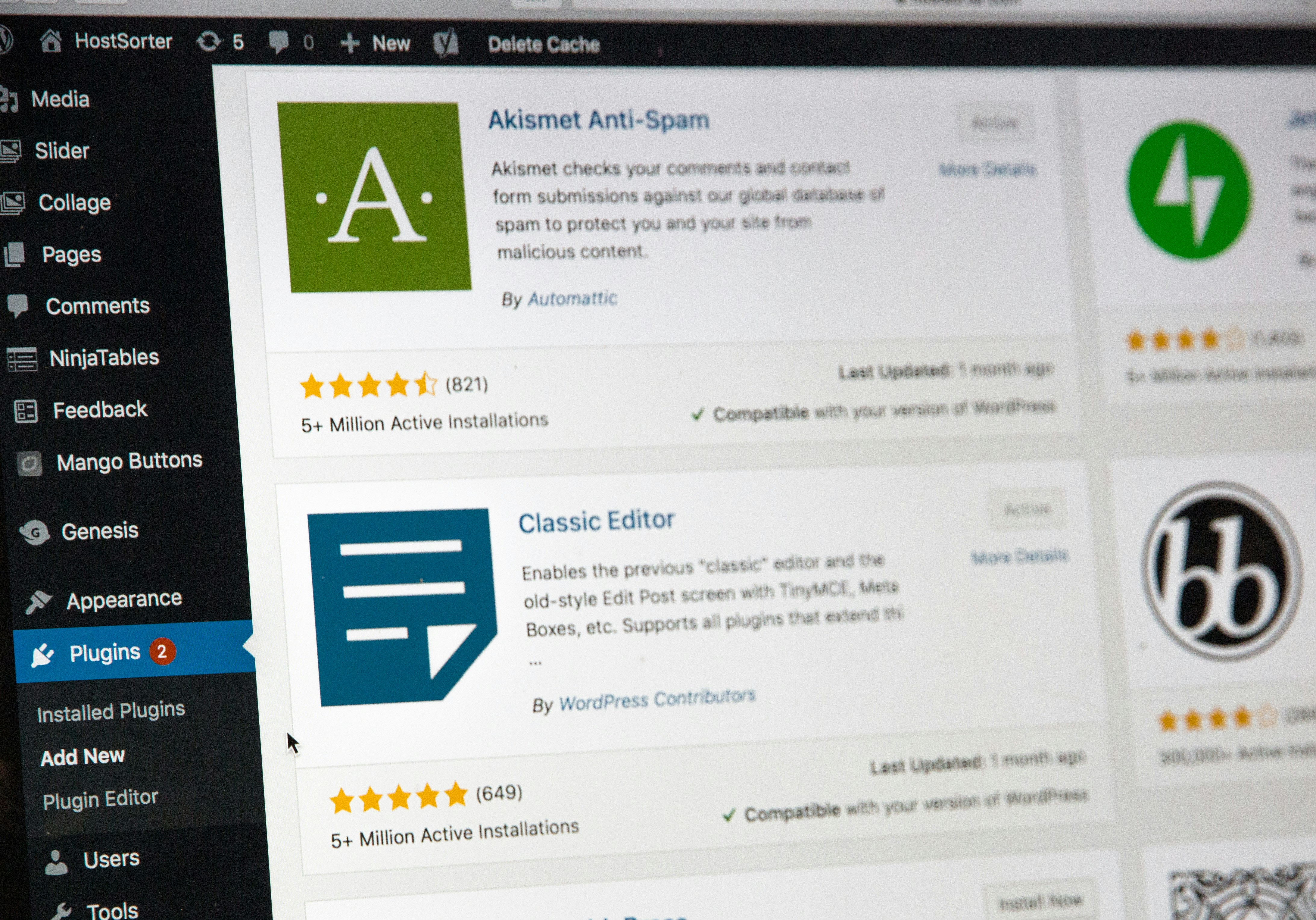
At the top of the dashboard, you will find the Admin Bar, which offers shortcuts to various tasks like adding new content, managing comments, and accessing profile settings. Below this bar lies the main navigation menu organized into sections such as Posts, Media, Pages, Comments, Appearance, Plugins, Users, Tools, and Settings. Each of these sections serves a specific purpose in managing your WordPress site.
In the Posts section, users can create, edit, and manage blog entries. It allows for the organization of posts through categories and tags, enhancing discoverability. The Media section is where you can upload images, videos, and other files that are integral to your site’s content. This area also provides tools for editing media items, ensuring that users can maintain visual quality effectively.
The Pages section is dedicated to creating static pages, which differ from blog posts. Here, you can manage critical content such as your Contact or About pages. Additionally, the Comments section enables you to moderate user feedback on your posts, ensuring controlled and respectful discussion on your website.
Further down the dashboard, options like Appearance and Plugins allow for customization and enhancement of your site’s functionalities. Regularly exploring these sections will increase your familiarity with the WordPress dashboard and improve your ability to manage your site efficiently. Overall, a thorough understanding of the dashboard is crucial for optimizing your WordPress experience.
Choosing the Right Theme
One of the most crucial steps in website development using WordPress is selecting the right theme. The theme serves as the foundation of your website’s design and functionality, influencing both aesthetics and user experience. WordPress offers a comprehensive repository of themes, which can be accessed directly from the dashboard by navigating to “Appearance” and then “Themes.” Here, users can browse through a variety of options, including free and premium themes. Free themes are often sufficient for straightforward projects, while premium themes usually provide enhanced design elements, additional features, and superior customer support.
Premium themes can be considered a worthwhile investment for those aiming to create a more unique and professional appearance. These themes often come packed with advanced customization options that allow users to tailor their site to specific needs and preferences. Features such as drag-and-drop builders, multiple layout options, and supplementary plugins help users modify their sites effortlessly. However, it is essential to ensure that any chosen theme is optimized for responsiveness, meaning it will adapt well to various screen sizes and devices. A responsive design is critical in today’s digital landscape, as a significant portion of web traffic comes from mobile devices. A non-responsive theme can lead to a poor user experience and ultimately drive visitors away.
When selecting a theme, consider factors such as loading speed, SEO-friendliness, and overall compatibility with your plugins. It is also advisable to read user reviews and conduct thorough research to evaluate the theme’s performance and support. With the right theme, your WordPress website can achieve an appealing look, while providing visitors with an enjoyable and seamless browsing experience.
Essential Plugins for Your WordPress Site
WordPress offers a remarkable array of plugins that can significantly enhance the functionality of your website. These plugins allow users to add features ranging from search engine optimization (SEO) to social media sharing, security enhancements, and overall performance improvements. Understanding which plugins to use is crucial for beginners keen on maximizing their website’s potential.
One of the most vital categories of plugins is SEO. The Yoast SEO plugin stands out among its peers. It assists users in optimizing their content for search engines, ensuring that titles, meta descriptions, and keyword usage are aligned with best practices. Installing this plugin is straightforward: navigate to the ‘Add Plugins’ section in your WordPress dashboard, search for ‘Yoast SEO,’ and click ‘Install Now.’ Follow up with ‘Activate’ to enable its functionalities.
Social media integration is another essential component for any modern WordPress site. The Social Warfare plugin allows for easy sharing across various platforms, enhancing the potential for increased traffic. After installation—similar to the previous plugin—you can customize the sharing buttons and analytics to track engagement rates.
Security is paramount to protect your site from threats. The Wordfence Security plugin provides comprehensive protection through firewalls and malware scanning. Simply search for ‘Wordfence Security’ in the plugins menu to install it. Once activated, configure the settings to fit your security needs.
Finally, performance should not be overlooked. The WP Super Cache plugin is a simple tool that can improve loading times by serving cached versions of web pages. To install, follow the same steps as before, selecting ‘WP Super Cache’ and activating it after installation.
By integrating these essential plugins, you will enhance the functionality of your WordPress site significantly, paving the way for a more robust online presence.
Creating and Managing Content
Effectively creating and managing content within WordPress is vital to establishing a successful online presence. The platform offers a user-friendly interface that allows users to craft engaging blog posts and static pages seamlessly. To begin, navigate to the WordPress dashboard, where you can access either the ‘Posts’ or ‘Pages’ section, depending on the type of content you intend to create. For blog posts, selecting ‘Add New’ under ‘Posts’ provides a rich text editor where you can input your title and body content.
When crafting your content, it is essential to utilize headers and paragraphs appropriately for improved readability. Incorporating headings (using H2 and H3 tags) helps in organizing your content, making it easier for readers to follow along. Additionally, breaking lengthy sections into digestible paragraphs enhances user engagement. Remember to use relevant keywords, including synonyms related to your main topic, to optimize your content for search engines without veering into keyword stuffing.
Categorizing and tagging your posts is crucial for improved content organization and discoverability. Categories group similar topics, while tags offer more specific descriptors, allowing users to navigate related content easily. When creating multimedia content, such as images and videos, always ensure proper embedding. This not only enhances user experience but also optimizes loading times. Use WordPress’s built-in media library to upload and manage multimedia files efficiently.
Regularly updating your website is paramount for retaining audience interest and improving search engine ranking. Establishing a consistent content schedule, whether through scheduled posts or a content calendar, will aid in maintaining fresh content. By planning ahead, you can ensure that your website remains dynamic and engaging, fostering loyalty among your audience and boosting your online visibility.
SEO Basics for WordPress
Understanding the fundamentals of search engine optimization (SEO) is crucial for anyone looking to improve their WordPress site’s visibility. The first step in optimizing your site is to set up SEO-friendly permalinks. By default, WordPress generates permalinks that include date and post ID—these are not ideal for SEO. Instead, you should navigate to the Permalinks settings in your WordPress dashboard and select the “Post name” option. This structure makes your URLs more descriptive and user-friendly, enhancing both readability and search engine rankings.
Another essential aspect of SEO for WordPress is the installation of an SEO plugin, such as Yoast SEO or All in One SEO Pack. These tools provide valuable features that simplify the optimization process, such as XML sitemap generation, meta tag management, and content analysis. With these plugins, you can easily focus on improving page titles, relevant descriptions, and keyword usage, which collectively contribute to better search engine performance.
Image optimization also plays a critical role in your site’s overall SEO strategy. By compressing images to improve load times and using descriptive file names and alt text, you not only enhance user experience but also ensure your images are indexed correctly by search engines. This practice can significantly contribute to your site’s visibility in image searches and can lead to increased traffic.
Lastly, understanding keyword integration is fundamental. Effective keyword research should guide your content creation and optimization strategies. Aim to include the primary keyword naturally within the post title, headings, and body content to help search engines understand your page’s relevance to specific search queries. However, keyword stuffing should be avoided, as it can lead to a poor user experience and negatively impact rankings. By following these SEO basics tailored for WordPress, you can establish a strong foundation that will support your website development efforts.
Maintaining Your WordPress Website
Maintaining your WordPress website is essential for ensuring its optimal performance, security, and longevity. Regular updates are a crucial first step in this process. WordPress frequently releases updates that include new features, security enhancements, and bug fixes. It is recommended to check for updates at least once a week and apply them promptly to keep your site secure and fully functional. This practice also involves updating the themes and plugins you use, as failing to do so may expose your site to vulnerabilities.
Backups are another important aspect of website maintenance. A reliable backup system allows you to restore your site in case of data loss or corruption. Many plugins offer automated backup solutions that can be scheduled at regular intervals. These can range from daily to weekly backups, depending on how often you update your content. Ensure that backups are stored securely, preferably offsite or in the cloud, to safeguard against server failures or malicious attacks.
Security measures should not be overlooked in the maintenance routine. Employing strong passwords, using a reputable security plugin, and enabling two-factor authentication can significantly improve your site’s defenses. Conducting regular security scans helps identify and address potential threats early. It is also advisable to monitor user activity and revoke permissions for users who no longer require access, further securing your platform.
In the event of encountering common issues, such as a slow website or plugin conflicts, basic troubleshooting steps should be adhered to. Clearing browser caches, deactivating plugins one by one, and optimizing your database can lead to quick resolutions. Familiarizing yourself with these maintenance tasks not only keeps your WordPress website running smoothly but also empowers you to address minor issues proactively.
Conclusion and Next Steps
As we conclude this beginner’s guide to using WordPress for website development, it is essential to reflect on the fundamental concepts we’ve covered. WordPress, with its user-friendly interface and extensive flexibility, provides an excellent platform for creating diverse websites—from simple blogs to complex e-commerce solutions. We have explored aspects such as setting up your site, selecting themes and plugins, and managing content effectively. Utilizing these tools allows you to craft a unique online presence tailored to your audience’s needs.
Equipped with this foundational knowledge, we encourage you to expand your understanding of WordPress by delving into more advanced features. The platform offers numerous possibilities, including custom post types, advanced plugins, and even theme development. Familiarizing yourself with these elements can greatly enhance your website’s functionality and user experience. Furthermore, as you become comfortable with basic operations, consider exploring tutorials and resources that dive into topics such as Search Engine Optimization (SEO) for WordPress, security measures, and performance optimization.
In your quest to master website development, several resources are available to facilitate your learning process. Online forums such as the WordPress Support Forum, blogs dedicated to WordPress tips and tricks, and comprehensive courses offered on platforms like Udemy and Coursera can be invaluable. Engaging with these communities can provide insight, guidance, and troubleshooting assistance as you navigate through your web development journey.
Ultimately, becoming proficient in WordPress is a step-by-step process that requires practice and exploration. By taking the next steps and utilizing available resources, you will progressively build your skills, bringing your vision for a professional and effective website to fruition.